Endpoint Inspection Configuration
Endpoint Inspection Configuration controls how endpoint sensors analyze file content in motion and at rest. It lets you pick which inspection policies run, set size limits so only manageable files are processed, and decide how aggressively the sensor catalogs and classifies stored data. By tuning this section, you balance sensitive-data visibility against endpoint impact.
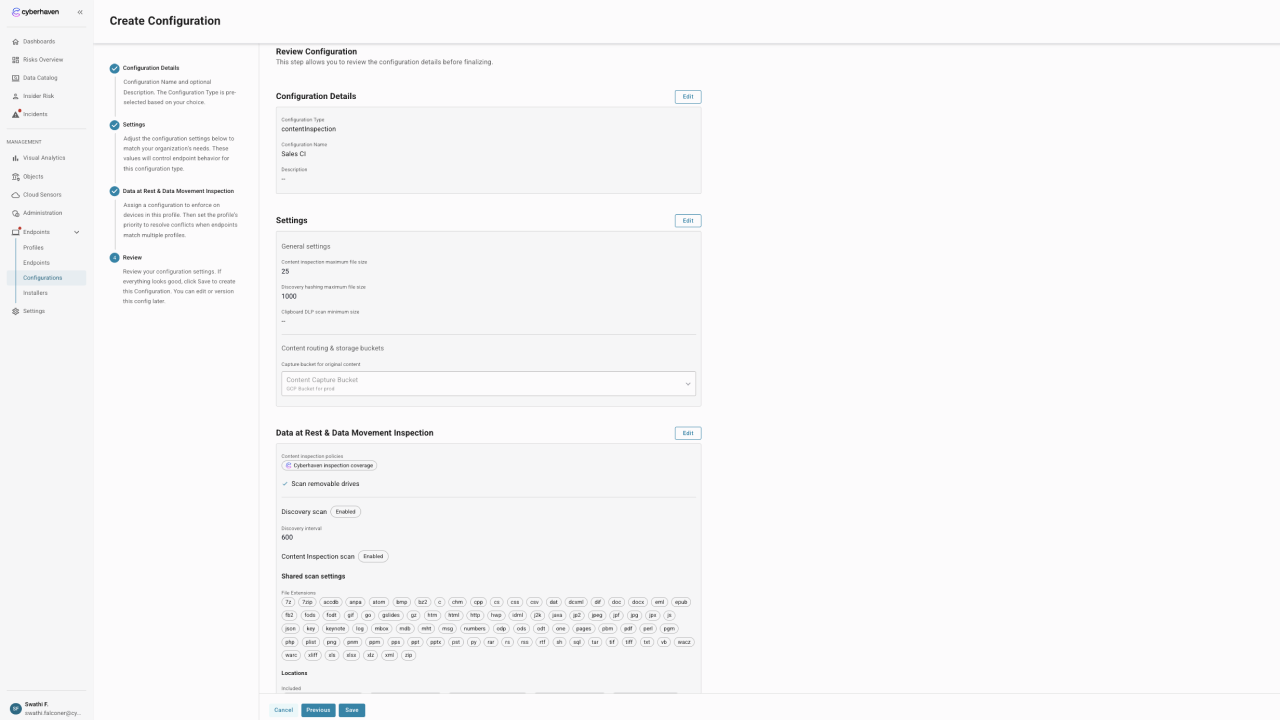
General Settings
| Settings | Default | Range | Description |
|---|---|---|---|
| Maximum File Size | 25 MB | 1 - 1000 MB | Largest individual file that the endpoint uploads to the content inspection service. |
| File Hash Maximum Size | 1000 MB | 1000 - 500,000 MB | Largest file that is hashed locally during discovery and cataloging. Larger files are skipped to avoid excessive resource use. |
Data In Motion Settings
Content inspection policies control the in-motion activity that triggers inspection of the files involved in an event. This selection determines when inspection is initiated and how the cache of known content is populated.
As with data protection policies there are two options you can use:
All policies
This setting applies the default Cyberhaven behavior. All enabled content inspection policies are associated with the profile, including policies created in the future.
Selected policies
This setting allows a subset of enabled policies to be applied to the profile. Use it for piloting or to restrict inspection to specific device groups without modifying the policy logic itself.
Also included here is the option for Scan removable drives, which applies the selected content inspection policies to data-in-motion events involving removable devices.
Data at Rest Settings
Data at rest scanning extends visibility beyond data in motion by evaluating files stored locally on the endpoint. Enable one or both scan types to inventory sensitive data and enforce policy on disk.
Discovery Scan
Discovery scan inventories where sensitive files live without uploading full content to the cloud. Use it to populate the Data Catalog and understand data residency.
| Settings | Default | Range | Description |
|---|---|---|---|
| Discovery Interval | 600 seconds | 600 - 86,400 seconds | Frequency for refreshing the targeted locations. Lower values deliver fresher results but consume more CPU, memory, and disk I/O. |
- Toggle Discovery scan to activate the workflow.
- Pick an interval that balances catalog freshness with device resource impact.
- Results are surfaced in the Data Catalog so you can track path-level storage of sensitive content.
Content Inspection Scan
Content inspection scan performs full classification of files that match your shared scan settings. Enable this when you need the endpoint to take policy action on stored files (for example quarantine or user notification).
- Toggle Content Inspection scan to activate classification.
- Uses the same content inspection policies tied to this configuration in the Data in Motion section.
- Requires at least one shared scan setting (file extensions or locations) to be defined so the agent knows what to inspect.
Shared scan settings
Shared scan settings define the scope for both Discovery and Content Inspection scans. Review these whenever you enable either scan type to ensure the correct files and storage sources are in scope.
File Extensions
- Cyberhaven supplies a curated default set of high-risk extensions (for example
docx,pptx,pdf,zip). - Click Edit to add, remove, or bulk import extensions. Wildcards such as
*ppt*are supported for families of extensions. - Removing an extension excludes those files from both discovery and inspection jobs, reducing the amount of content processed.
Locations
- Included locations are directories and environment-variable paths (for example
%USERPROFILE%\Documents) that the scans evaluate. - Excluded locations are ignored even if they fall under an included path. Use this list to skip application directories, system folders, or other paths that would add noise.
- Click Edit to update either list. Entries accept absolute paths, UNC paths, and environment variables for portability across devices.
Network and removable storage
- Scan network shares extends the scope to mounted or mapped network shares available to the endpoint.
- Scan removable drives includes USB storage and other removable media. Keep this option enabled if users commonly transfer sensitive data via removable devices.
Endpoint performance can vary based on the number of paths and extensions in scope. Start with the recommended defaults, then tune intervals, file types, and locations to reach the right balance between coverage and resource consumption.